Module Gallery
Every reusable hero, header, feature section, CTA and module the site is built from — on one page, so we can see what we have while designing. Each block is the live component, framed with its name and source file.
Headers & global chrome
The sticky pill navigation at the very top of this page and the brand footer at the very bottom are the global header and footer (components/Layout.tsx). Below are the in-page heading blocks.
components/PageComponents.tsx → PageH1 + PageSubtitle· used on /pricing, /aboutSimple, transparent pricing
Start with our free tier and upgrade when you need more documents and features.
components/PageComponents.tsx → SectionH2 / CardH3· used on content pagesThis is a Section H2
This is a Card H3
Body copy sits at muted-foreground for hierarchy.
Heroes
Top-of-page hero sections. The home hero is centered; the use-case hero is a split layout with an eyebrow and preview image (shown inside the full template further down).
components/home/HeroSection.tsx· used on /Stop sending silent PDFs.
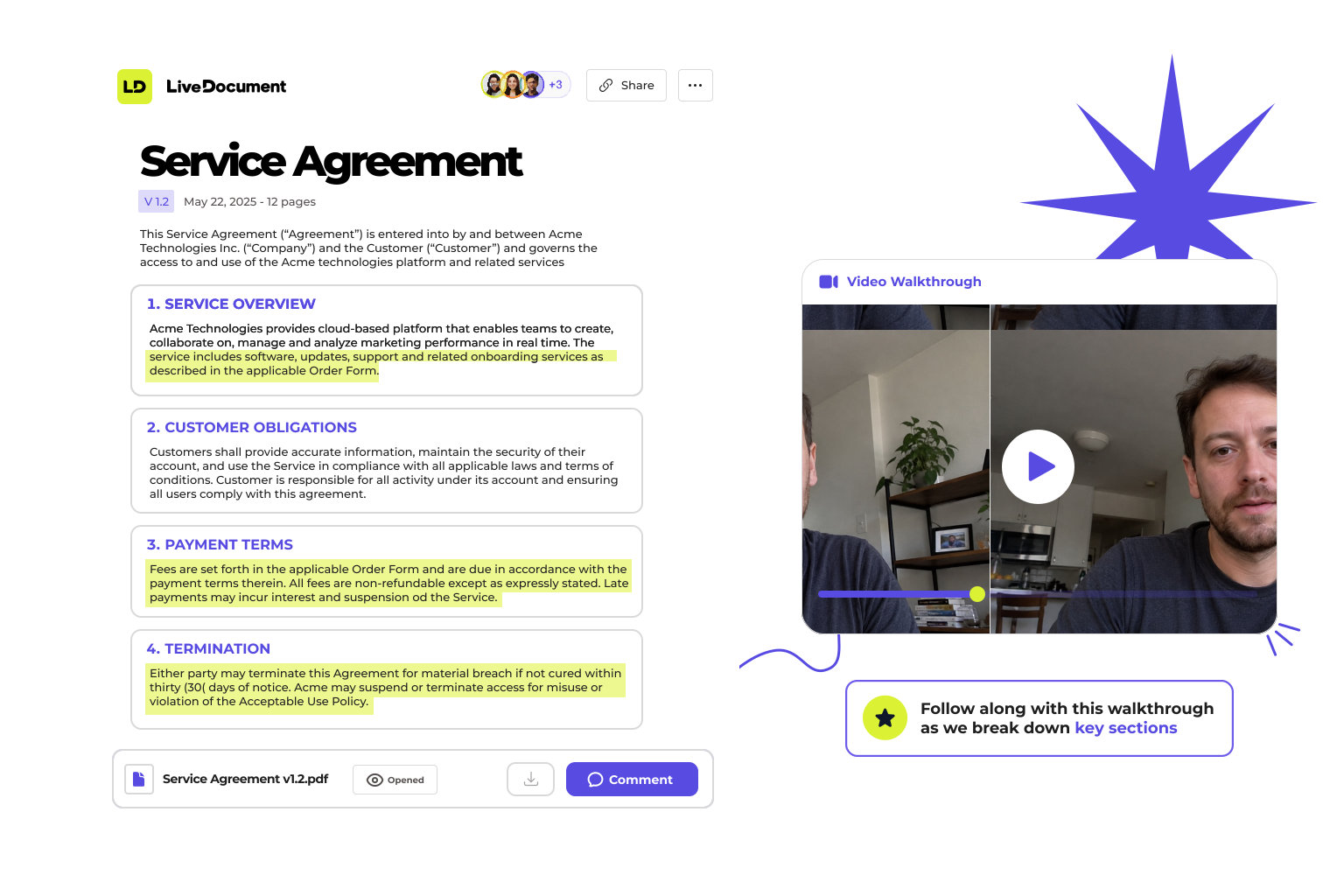
Add a video walkthrough, track opens in real-time, and see exactly how people engage with your documents.
components/use-cases/UseCasePageTemplate.tsx· used on /use-cases/*· rendered inside the full template in “Page templates” belowFeature & content sections
The mid-page blocks that explain the product: the bento feature grid, the scroll-stacking use-case cards, and the pricing plans.
components/home/FeatureGrid.tsx· used on /Add Context That Converts
Record a short video to explain what matters, walk someone through a proposal, or replace a call with a clear explanation.
Real-Time Alerts
Get notified the moment someone opens your document. Follow up at exactly the right time.
Email Collection
Require an email before viewing. Turn anonymous viewers into known leads.
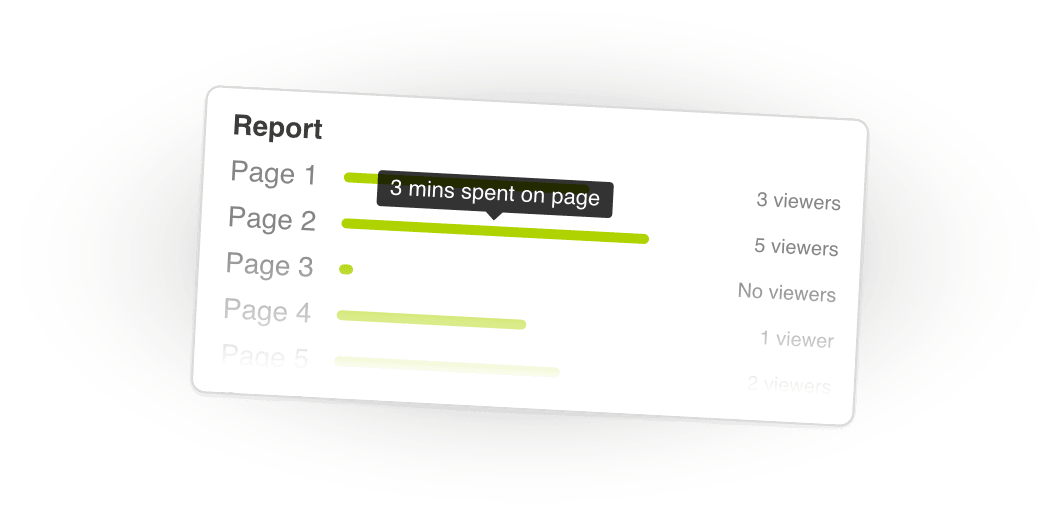
See How People Engage
Understand what people spend time on — and what they skip. Get page-level view times and actionable insights.
- Page-level view time
- Clear, readable activity feed
- Enough insight to guide a follow-up
components/home/RealMomentsSection.tsx· four-step strip — placeholder illustrationsReal moments, real impact
User opens
your page
They're curious and scanning.
User engages
with content
They're reading, exploring, learning.
User responds
to your prompt
They take action on a timely CTA.
User converts
with confidence
They reach the next step and see value.
components/home/UseCasesSection.tsx· used on /· full-height scroll module — keep scrolling to cycle the cardsBuilt for people who send documents that matter
Send proposals that actually get read
Walk prospects through your pricing, address objections in your own voice, and know exactly when they lingered on the numbers.
Deliver reports without a follow-up call
Record your findings once. Clients can revisit any insight by clicking the highlights — no need to schedule another hour.
Explain complex documents without jargon
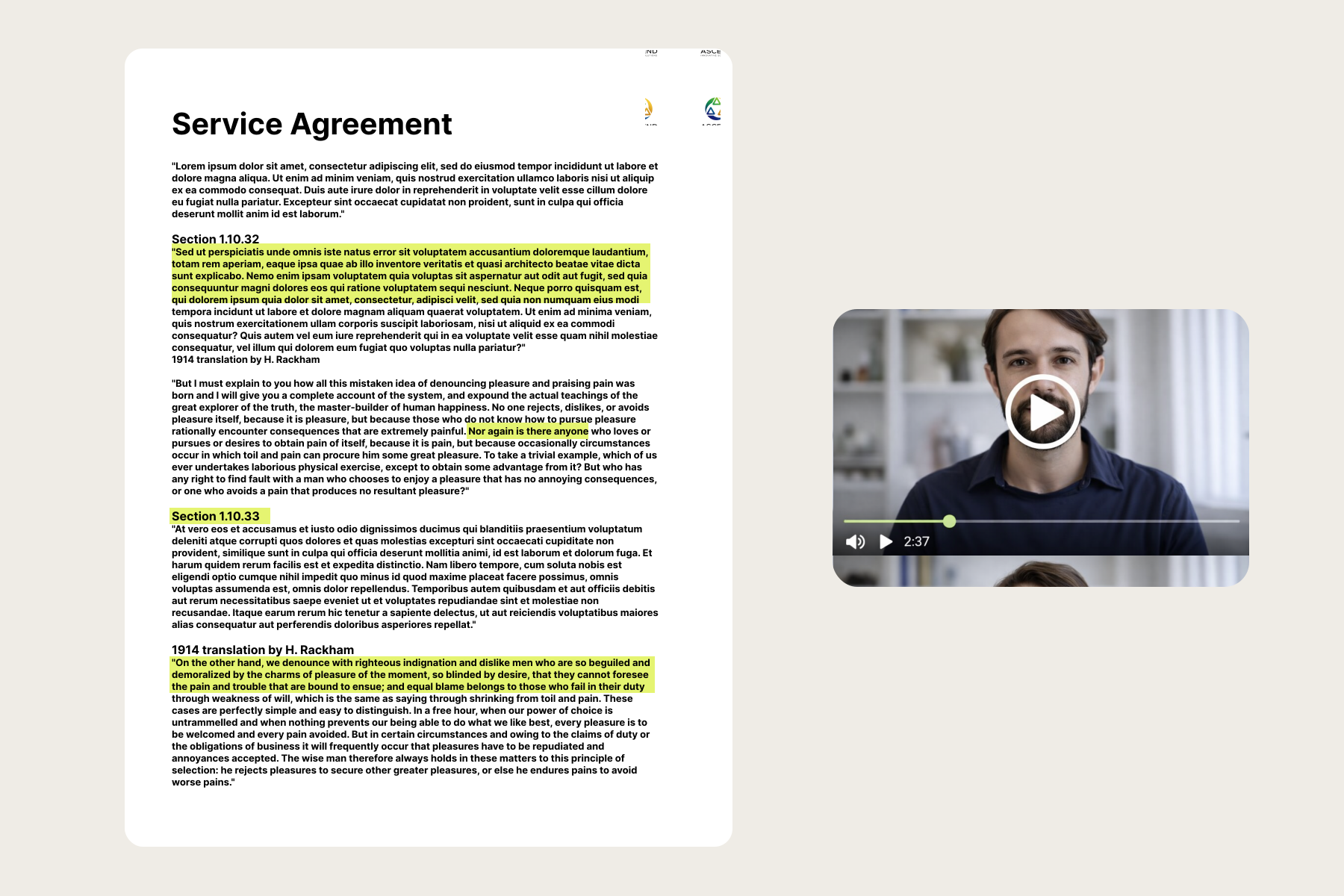
Highlight critical clauses and narrate what they mean. Clients click a section, hear your explanation instantly — fewer misunderstandings, faster sign-off.
Make investor decks actually watchable
Narrate your projections, highlight your traction slides, and see which investors spent time on what. Know who's serious before the call.
src/pages/Pricing.tsx (inline)· used on /pricingFree
Send unlimited personalized documents.
- · Send unlimited documents
- · Record personalized greeting videos
- · Basic engagement analytics
Pro
Track everything and collect leads.
- · Everything in Free
- · Collect viewer emails
- · Real-time notifications
- · Team management + templates
FAQ
The two-column accordion used near the foot of long pages.
components/home/FAQSection.tsx· used on /Frequently asked questions
LiveDocument embeds a lightweight tracking pixel and JavaScript snippet into your shared documents. When a recipient opens the link, you'll see exactly who viewed it, when, and how long they spent on each section — all in real time.
Yes. LiveDocument supports PDFs, slide decks, proposals, and web-based documents. Simply upload your file, record or attach a video walkthrough, and share the link. Recipients can watch your narration alongside the document.
You'll receive instant notifications via email or in-app alerts the moment someone opens your document. You can also see which pages they viewed, how long they spent, and whether they re-visited specific sections.
Sign up for a free account, upload your first document, and optionally record a video walkthrough. You'll get a shareable link instantly. No credit card required, and you can start tracking views immediately.
Find answers to some of the most common questions about LiveDocument and how it works.
We're here to help with your questions and support you in getting started with LiveDocument.
Ask a questionCalls to action
Closing conversion blocks. The home CTA is a centered upload prompt; the use-case CTA is a gradient glass card (shown inside the full template); the FAQ block embeds a contact CTA card.
components/home/CTASection.tsx· used on /Ready to get started?
Create your first LiveDocument in minutes.
Full page templates
Composed templates that bundle several modules. The use-case template below renders the split hero, the pain-point bento, and the gradient glass CTA in sequence.
components/use-cases/UseCasePageTemplate.tsx· used on /use-cases/sales, /use-cases/legal, …· hero + pain-point bento + gradient CTASend proposals that get read
Walk prospects through your pricing in your own voice, then see exactly when they lingered on the numbers.
Everything you need to close faster
A sample bento used to demonstrate the pain-point grid.
Proposals that explain themselves
Attach a short walkthrough so context travels with the document.
Know the moment they open
Real-time alerts let you follow up at exactly the right time.
Page-level engagement
See which sections held attention and which got skipped.
Time on page
Understand how long prospects spent on the pricing slide.
One tracked link
Share everywhere from a single link with full analytics.